Flash Form Validation
Validation of fields in Flash forms using JScript and VBScript
As part of our Flash and ASP integration tutorial series, this step deals with the concept of validating fields in flash forms. Validation is done to prevent users from giving invalid or null data. Javascript validation should always be accompanied by server-side validation in ASP so that browsers which have javascript disabled are also validated. We will now learn to validate the input form in our Flash 'n' ASP Guest-Book.
Important : To validate forms, you need a Netscape browser version 3.0 or later, or an Internet Explorer browser version 5.0 or later. Browsers must be JavaScript-enabled and have Flash Player 5.
Note : Values or code you will have to enter are given in light blue and red show specific settings to be followed by you. Comments in ASP are in bold green.
Starting Flash Guest-Book Interface
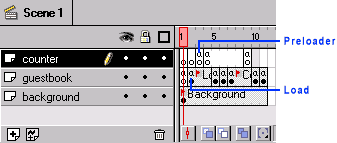
Input form Validation in our Flash 'n' ASP Guest Book
We shall now see how to validate the input form with the Name
and Email fields needed to be entered and the email field being
a valid email ID
Flash Guest-Book Send function interfaces
|
|
|
|
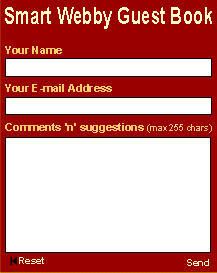
Finishing Flash Guest-Book Interface
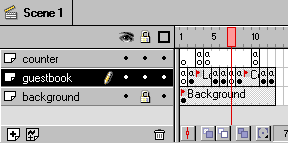
Adding the VBScript and JScript
Cut and paste the following VBScript and JScript in the head content of your guestbook.asp page (where you have placed the guestbook.swf file).
Flash Guest-Book Send function interfaces
Congratulations! You have now completed our Flash and ASP integration guide - hope you had fun learning with us!
Back to Step 6: Flash Interface Preloader
This tutorial covers the usage of ASP and Flash to bring about Flash dynamic data display and manipulation i.e. interactivity into Flash:
- Flash and ASP Introduction
- Basics of Flash and ASP
- Preparing the Stage
- Sending Data from your Flash form to the database
- Getting Data from the database into your Flash form
- Flash preloader that waits for the data to load
- Validation of fields in Flash forms using JScript and VBScript